
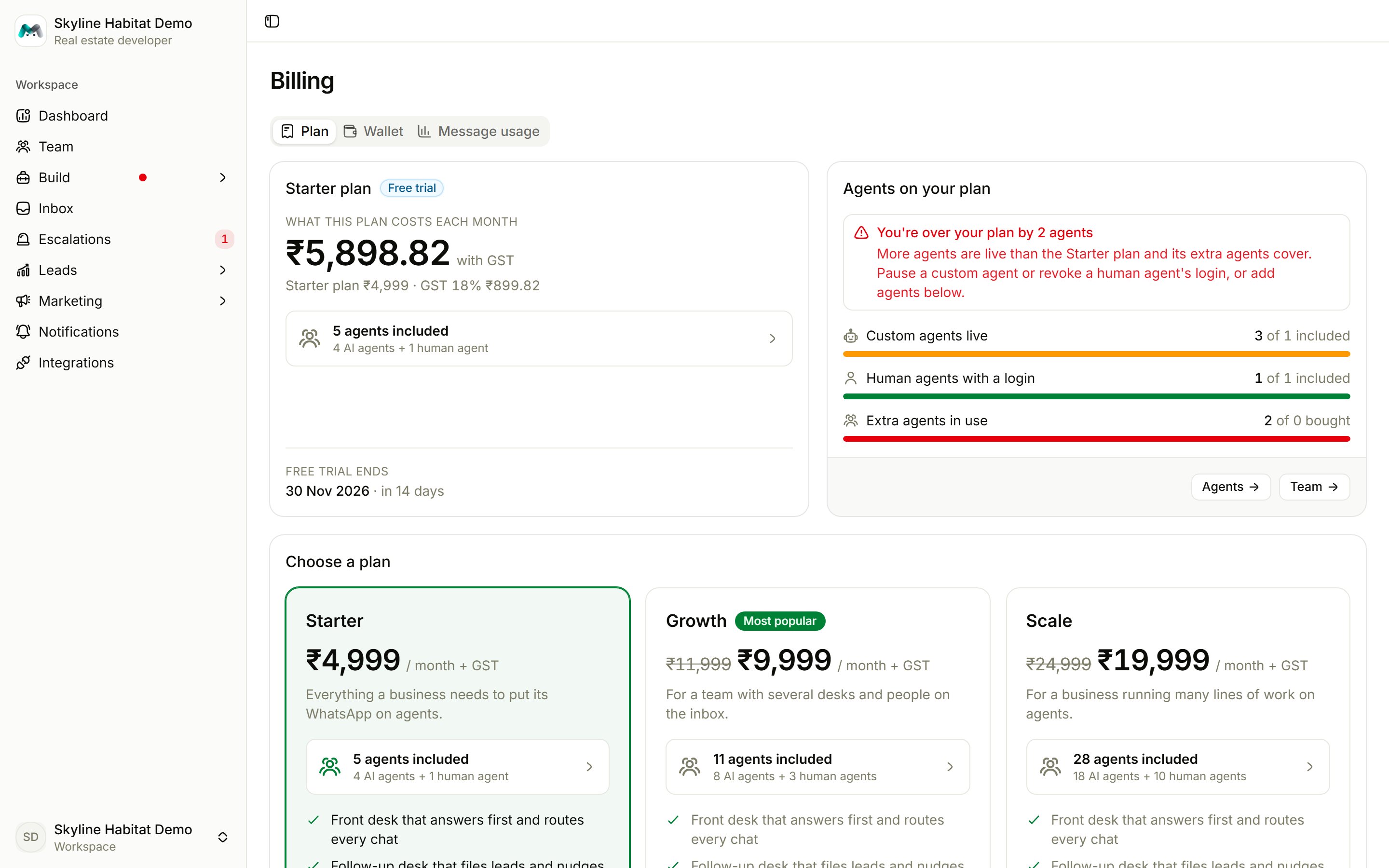
Plan
- Current plan: the monthly price with GST, your key dates (free trial ends, paid up to, renews on), and Autopay status.
- Agents on your plan: how many custom agents are live, how many human agents have a login, and extra agents in use. If you are over, you’ll see You’re over your plan by …. Pause a custom agent or revoke a human agent’s login, or change your plan.
- Choose a plan: compare plans and pay with Razorpay.
- Billing details: legal name, GSTIN, billing email, phone and address for your invoices.
- Payment history.
If a payment fails, the console shows when the dashboard locks. Even when it is locked, your agents keep answering customers. Choose a plan to open the console again.
Wallet
The wallet pays for WhatsApp template messages: marketing, utility and authentication. Ordinary replies inside the 24-hour window always go out.- Top up: pick an amount (GST is added).
- Auto-recharge: set a low-balance line and a recharge amount, and the wallet tops itself up. It needs a billing email and phone on the Plan tab.
- Wallet history: top-ups, auto-recharges and any welcome bonus.