
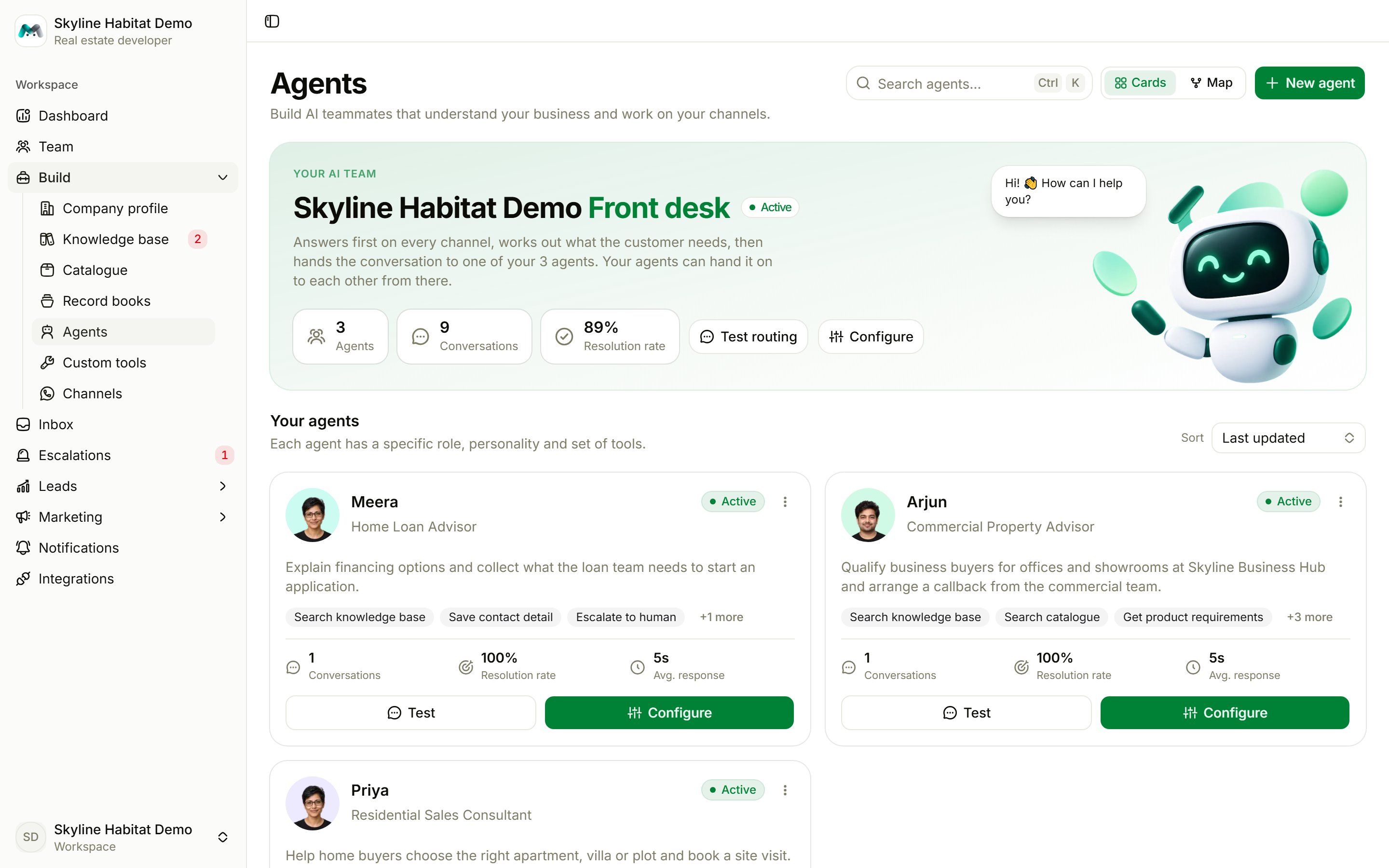
The page at a glance
- Front desk card (Your AI team): the front desk answers first on every channel and hands to your agents. It shows how many agents and conversations you have and the resolution rate. Test routing opens the front desk in the playground; Configure opens its settings.
- Your agents: one card per specialist with its role, tools and stats (conversations, resolution rate, average response). Each has Test and Configure. Sort by last updated, name or conversations.
- Follow-up desk: shows leads today, open leads and conversion rate. See Leads.
- Cards / Map: switch between the card view and the agent map.
The agent map
The map shows each channel, the agent it goes to, and who each agent can hand over to. Click an agent to change its status, handover line, knowledge and tools in a side panel, then Save changes.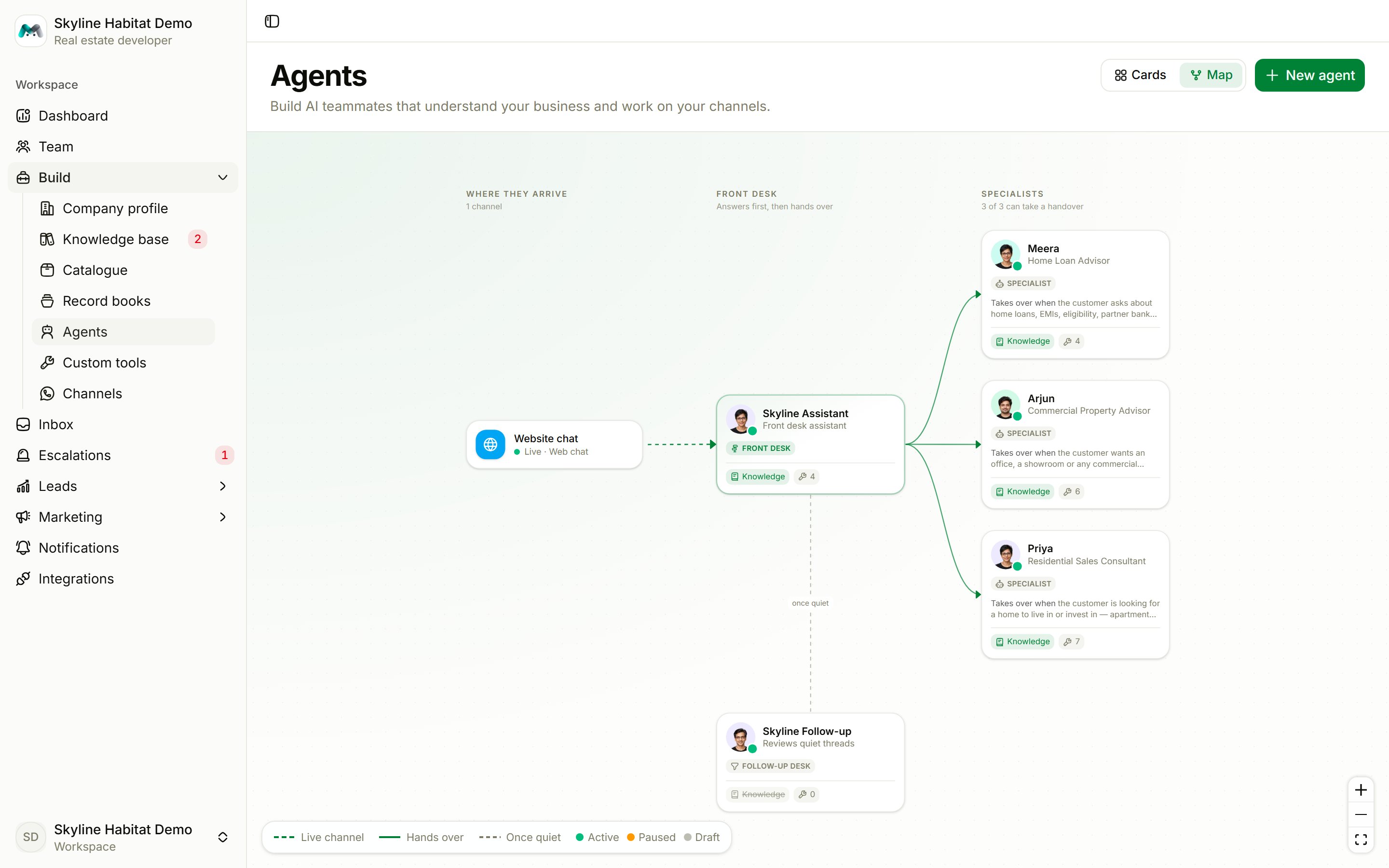
Create an agent
Choose New agent. There are three ways to start:- Template
- Describe
- Blank
Pick a ready-made agent: Sales assistant, Lead qualifier, Customer support, Orders & after-sales, Appointment booking or Careers assistant. Each says what it suits and when the front desk hands over to it. Optionally set the name customers see.
How routing works
- A customer writes on any channel. The front desk answers first.
- It reads each active agent’s “Hand over to me when…” line and picks the one that fits.
- It hands the conversation over silently. The specialist replies in the same chat.
- Specialists can hand on to each other the same way. A conversation is never handed back to an agent that already had it for the same message.
- Every specialist needs a clear “Hand over to me when…” line, written as a condition, for example: “Hand over to me when the customer asks about home loans, EMIs, eligibility, partner banks or the subvention payment plan.”
- The agent must be Active and Available for routing.