
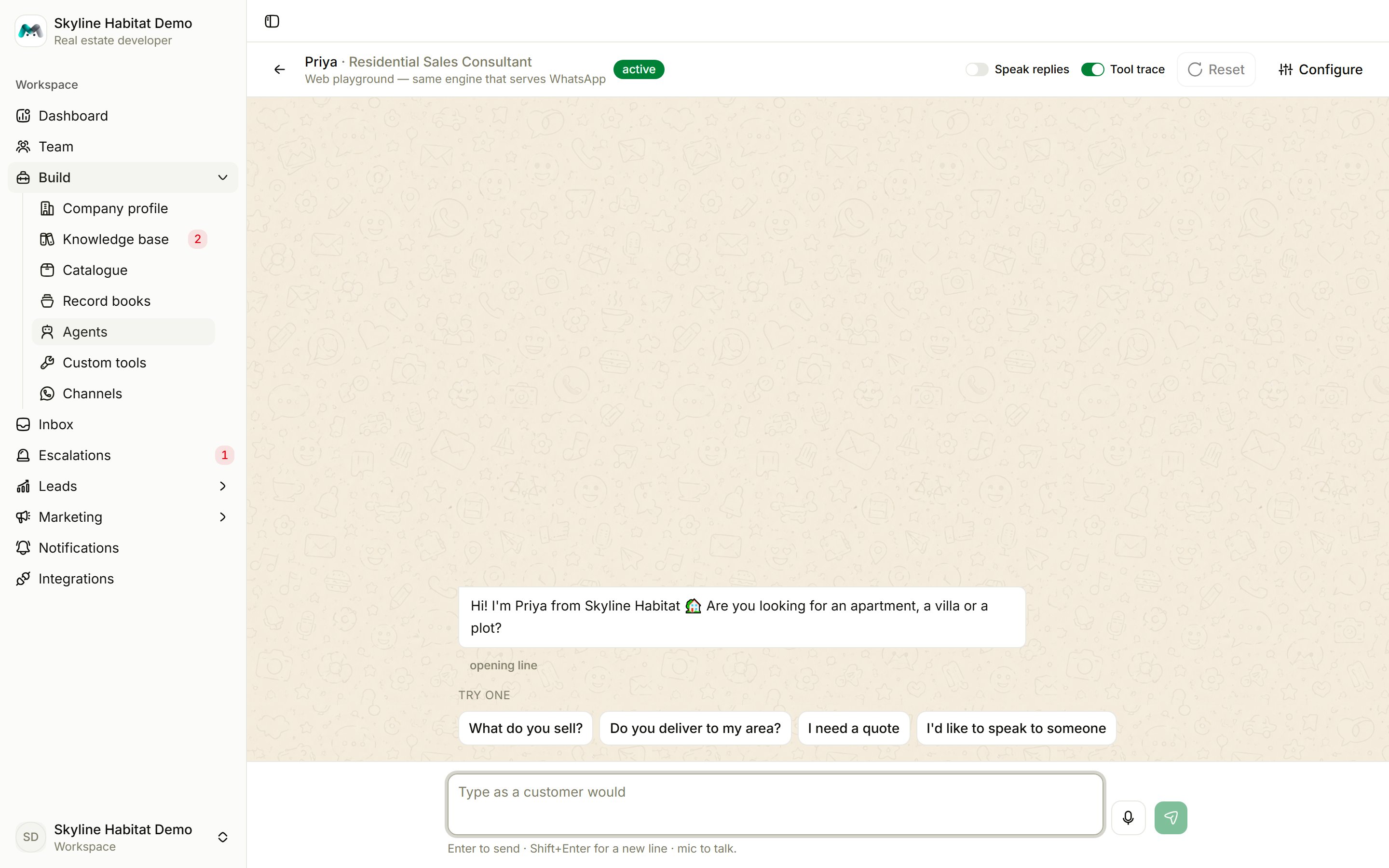
Have a test conversation
- Type in Type as a customer would and press Enter (Shift+Enter adds a new line). Or tap a starter such as What do you sell? or I’d like to speak to someone.
- Keep going until the agent files something or hands over. In the demo, asking the front desk for “a 3 BHK near SG Highway” hands you to Priya, who offers a site visit and files it.
- Press Reset to start a fresh conversation.
Controls
Good things to test
- Questions your FAQs answer, and a few they don’t. Unanswered questions should appear under knowledge gaps.
- A price question for an entry with a price, and for one without. The agent should not quote the second.
- A full booking or order, to check the agent asks every required question before filing.
- An angry or urgent message, to check the agent escalates to a person.
Playground conversations appear in the inbox as web conversations, and records filed during a test are real records. Delete or move test records when you are done. A paused agent cannot be tested; set it to Draft or Active first.